JavaScript API
- Code is an ES6 module
- Top-level
awaitis supported - Export
onInputsto listen to inputs from connected metaframes - Send outputs with
setOutput/setOutputs - Export
onResizeto handle window/div resizes - Use ES6 module imports, or add CSS / npm modules — everything is embedded in the URL
Inputs and Outputs
Export a function called onInputs to receive inputs from connected metaframes:
export function onInputs(inputs) {
  // inputs is a plain object (keys and values)
}

// arrow function works too
export const onInputs = (inputs) => {
  // ...
};
Send outputs with the globally available setOutput and setOutputs functions:
// send a single output
setOutput("outputname", 42);

// send multiple outputs
setOutputs({
  outputname: true,
  someOtherOutputName: "bar",
});
Output values can be strings, JSON, objects, arrays, numbers, ArrayBuffers, or typed arrays such as Uint8Array.
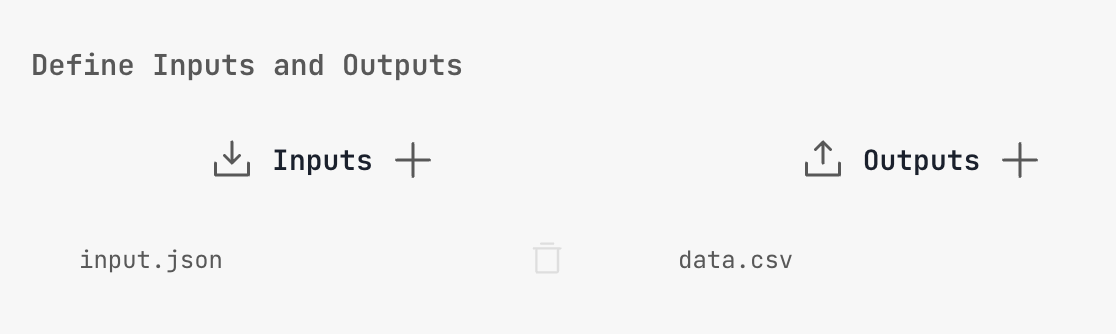
Define Inputs and Outputs
In Settings you can define inputs and outputs. This doesn't change how the code runs, but it makes connecting upstream and downstream metaframes easier when editing metapages.
Root Element
The root display div is exposed in the script scope as root (its id is also "root"):
console.log(root.id); // "root"
// Add custom DOM elements into root
Or get it with:
document.getElementById("root");Resize Handling
Get the root element dimensions:
const width = root.getBoundingClientRect().width;
const height = root.getBoundingClientRect().height;
Export onResize to automatically respond to window or div resizes:
export function onResize(width, height) {
  // handle resize
}

// arrow function works too
export const onResize = (width, height) => {
  // handle resize
};
Cleanup
When iterating in the code editor, scripts are re-run. Export cleanup to tear down listeners or state before the updated script runs:
export function cleanup() {
  // do your cleanup here
}

// arrow function works too
export const cleanup = () => {
  // do your cleanup here
};
This is only relevant during development — not when simply running a page with code.
Logging
Globally available logging functions that write to the root div:
log("something here");
logStdout("something here");
logStderr("an error");
These append to the root div, so if your code manipulates the root div, output may be overwritten. Mostly useful for headless code.
Scroll Prevention
To prevent scroll events from propagating to the parent window (common when using wheel/zoom interactions):
function maybeScroll(event) {
  if (myContainer.contains(event.target)) {
    event.preventDefault();
  }
}
window.addEventListener("wheel", maybeScroll, { passive: false });
Replace myContainer with your DOM element.
Misc
"use strict"is automatically added to the top of the module code- Your script will not run until the page
loadevent fires — no need to wait for it