URL State
An app can persist its own state — zoom, selection, a checklist, form values — in the URL, so the link the user copies carries that state with it.
Two globals are all you need. They are part of the core API: always available, nothing to import.
// Read whatever was saved under "state" (undefined if nothing was)
const state = getJson("state") || { zoom: 1 };

// Save it back — the link now carries it
setJson("state", { ...state, zoom: 2 });

// Remove it
setJson("state", undefined);
getJson(key) returns the JSON value stored under key, or undefined. setJson(key, value) stores any JSON-serializable value under key; passing undefined (or null) removes it.
That is the whole API. setJson also registers the key in the frame's metaframe definition for you, which is what keeps the value alive when the app is saved, shortened, or copied as a link.
saveJson is the same function
saveJson(key, value) is an alias of setJson(key, value) — frames written against the older name keep working. Prefer setJson in new code.
TIP
This is designed for relatively small values. Large multi-megabyte JSON blobs are not yet supported.
Never write the hash yourself
No regex or split on location.hash, no new URLSearchParams(location.hash.slice(1)), no hand-built #?key=value strings. Values are base64-encoded over a URI-encoded payload and the param order is canonical; the runtime, editor, shortener and frame API all agree on that encoding, and a hand-rolled version corrupts values or breaks saving. Use getJson / setJson.
Writing state does not re-run your app
A frame's own source lives in the URL hash, so the runtime re-executes the app whenever the hash changes. It makes one exception: changes the app itself writes. The app already holds the value it just wrote, and re-running would throw away the DOM and every bit of in-memory state — so a slider bound to setJson can write on every input event without reloading itself.
Those writes are still announced, so an app opened from framejs.app saves them as a new version.
A change from outside the frame — editing the address bar, an embedder rewriting the url — still re-runs the app, so it picks up the new state on the next run. To handle those in place instead, listen for hashchange:
window.addEventListener("hashchange", () => {
  const next = getJson("state") || {};
  // reconcile against what is already applied, then update the UI
});
TIP
That listener does not fire for your own setJson writes — only for changes from outside the frame. So a handler that rebuilds the UI is safe: it cannot be triggered by the app's own save, and cannot render over an input the user is still typing in.
What setJson does for you
framejs keeps a whitelist of hash params, and anything outside it is removed whenever the app is saved, shortened, or copied as a link — otherwise the state would silently disappear from the URL you share.
These built-ins are always allowed, and are reserved — setJson throws if you use one as a key: js, inputs, modules, og, options, bgColor, edit, editorWidth, hm, definition, css.
Every other param name is whitelisted by declaring it in the frame's metaframe definition, under definition.hashParams. The first time you call setJson("state", …), it adds
{ "hashParams": { "state": { "type": "json" } } }to that definition (creating the definition if the frame has none), in the same write that stores the value. You do not have to do anything.
Seeing it in the editor
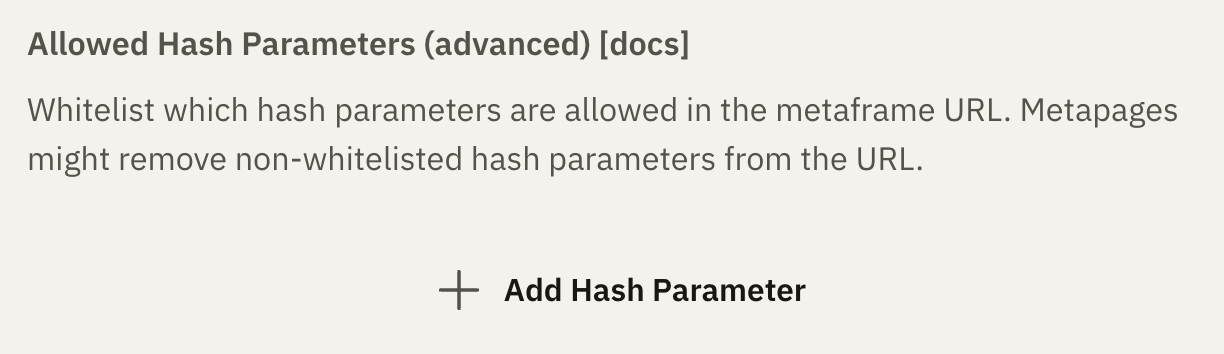
Open Settings (the ⚙ icon) → the Runtime tab → Allowed Hash Parameters, and the key your app saved is listed there. You can also add keys by hand with Add Hash Parameter — useful for a param an embedder passes in rather than one the app writes.
Declaring a param from the API
definition is a normal hash param, so it can also be sent in the frame body alongside js (see Short URLs and the frame API):
{
  "js": "…",
  "definition": {
    "version": "1",
    "hashParams": { "state": { "type": "json" } }
  }
}
This is optional for anything an app stores with setJson — the app declares its own keys on first write. When you update an existing frame, pass its stored definition back unchanged, so params it already relies on stay whitelisted.
The optional label and description fields on a param are used only by the editor's settings UI. type records how the value is encoded; setJson always writes json.
The css hash param (transient global stylesheet)
The css hash param loads a global stylesheet at runtime. Its value is base64-encoded and is either:
- raw CSS text, which is injected as a
<style>element, or - a URL to a CSS stylesheet (a single-line
http(s)URL), which is injected as a<link rel="stylesheet">.
Unlike the other hash params, css is not persisted: it is never written into the metaframe definition, copied into shareable links, or baked into short URLs. It is purely appended at runtime.
This makes it ideal for applying a consistent style across many different pieces of content without modifying that content. Because it is not part of a short URL's content, appending #?css=… to an existing short URL changes nothing about the underlying content — it just layers a stylesheet on top.
The value is encoded the same way as every other base64 hash param: btoa(encodeURIComponent(text)) (the plain btoa alone is not enough — non-ASCII characters would corrupt).
// Base64-encode raw CSS...
const css = btoa(encodeURIComponent("body { background: #111; color: #eee; }"));
location.hash = "?css=" + css;

// ...or base64-encode a stylesheet URL
const css = btoa(encodeURIComponent("https://example.com/theme.css"));
location.hash = "?css=" + css;
Appended to a short URL: https://framejs.io/j/<id>#?css=<base64>
TIP
Clearing or changing the css param replaces the previously injected stylesheet, so you can swap themes live by updating the param.